
Active Protection
+ DeepInspect
DNSEndpoint enforces DNS on the device and sends it encrypted to ThreatOrigin Public DNS. DeepInspect shows which process made each query.
Protection and process context travel with the device.
Seamlessly integrate with your existing DNS, DHCP, and identity stack. Gain instant protection and visibility without re-architecting your network
Follow one network through five steps. Each connection stays in view as the next part comes alive.
Clients use local DNS. Queries leave through the firewall and reach your ISP’s public DNS.
Clients query existing DNS servers. Branch and internal DNS forward through the firewall to ISP public DNS. The on-prem module is not deployed.
Your branch and internal DNS servers already resolve requests through your upstream provider.
Keep the local network in place. Follow the installation steps to add public DNS protection, local visibility, correlation and SIEM delivery. Select a node to inspect its role.
Existing DNS, DHCP, identity, XDR and SIEM work together through ThreatOrigin.
One cloud DNS service for offices, home users and roaming devices. No on-prem appliance.
Forward queries from the existing branch and headquarters DNS servers to ThreatOrigin Public DNS.
Existing branch, headquarters and datacenter DNS servers forward through the firewall to ThreatOrigin Public DNS. Microsoft Entra ID supplies user and group context for policies. Roaming protection and office process visibility are added in the following steps.
Your local DNS servers stay in place. Their upstream destination changes from the ISP resolver to ThreatOrigin Public DNS.
Office queries arrive under the company public IP. Microsoft Entra ID connects users and groups to the policies applied by ThreatOrigin.
DNSEndpoint provides the process context in this installation. You do not need an XDR integration or an on-prem appliance.
DNSEndpoint enforces DNS on the device and sends it encrypted to ThreatOrigin Public DNS. DeepInspect shows which process made each query.
Protection and process context travel with the device.DeepInspect only. It identifies the process behind DNS requests; it does not filter queries or replace your existing local DNS path.
DNS filtering stays with the cloud DNS service.Connect Microsoft Entra ID, formerly Azure Active Directory, to apply user and group policies across office and roaming activity.
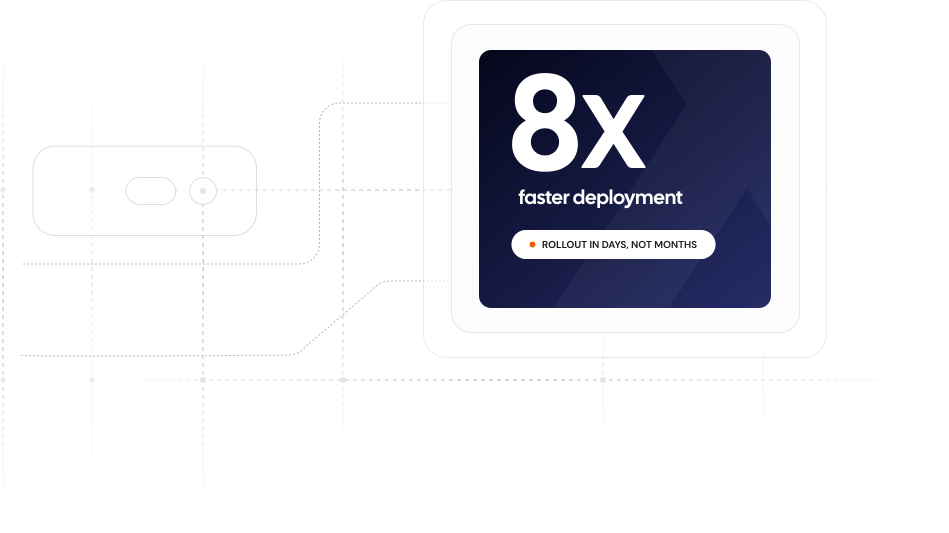
ThreatOrigin plugs into your central DNS and DHCP servers and, through smart integrations, discovers the users, hosts, and processes behind every query across your estate. You gain full DNS‑layer security and visibility for large, distributed networks in a fraction of the time of traditional DDI solutions, without deploying appliances or agents at every site.


ThreatOrigin automatically correlates raw DNS signals with XDR process data and user identity before they reach your SIEM. SOC teams get a single, fully resolved incident timeline, allowing them to close cases in minutes without switching consoles.
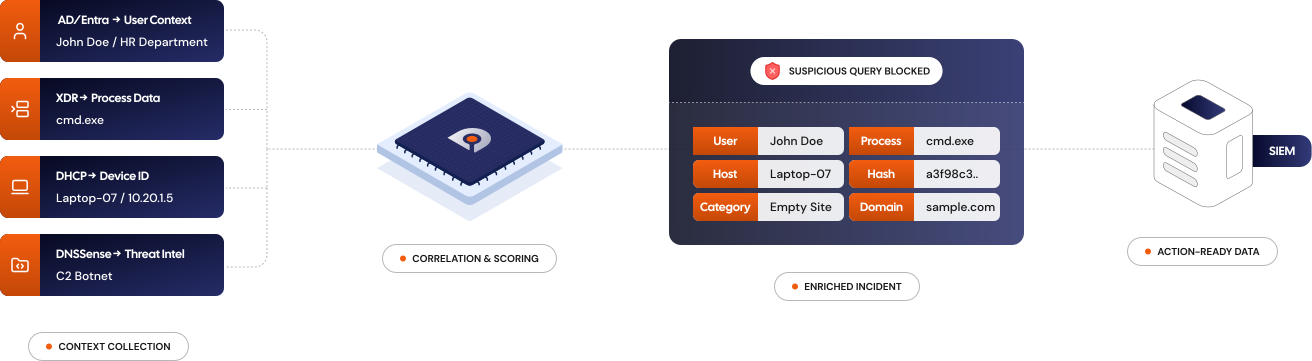
Stop re-engineering your network to fit a security tool. ThreatOrigin is built to adapt to your existing layers, identity providers, and operational workflows—delivering complete protection without the friction.





I can walk you through everything about ThreatOrigin's adaptability feature. What's on your mind?
©️ ThreatOrigin, 2026. All Rights Reserved